HashSet - 직접 구현하는 Set2 - MyHashSetV2
2024. 6. 12. 07:30ㆍ김영한 Java/컬렉션 프레임워크
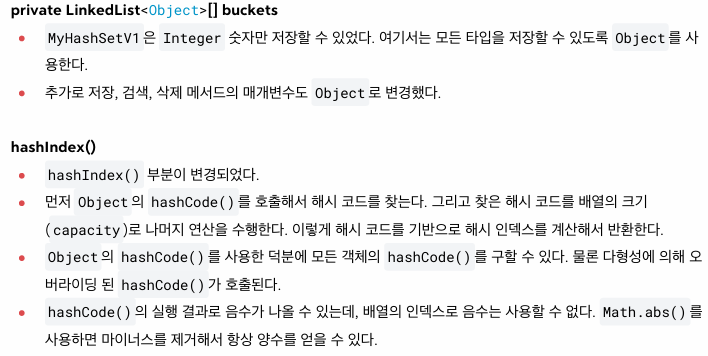
MyHashSetV1은 Integer 숫자만 저장할 수 있었다. 여기서는 모든 타입을 저장할 수 있는 Set을 만들어보자.
자바의 hashCode()를 사용하면 타입과 관계없이 해시 코드를 편리하게 구할 수 있다.
package collection.set;

import java.util.Arrays;
import java.util.LinkedList;

public class MyHashSetV2 {

    static final int DEFAULT_INITIAL_CAPACITY = 16;

    private LinkedList<Object>[] buckets;

    private int size = 0;
    private int capacity = DEFAULT_INITIAL_CAPACITY;

    public MyHashSetV2() {
        initBuckets();
    }

    public MyHashSetV2(int capacity) {
        this.capacity = capacity;
        initBuckets();
    }

    private void initBuckets() {
        buckets = new LinkedList[capacity];
        for (int i = 0; i < capacity; i++) {
            buckets[i] = new LinkedList<>();
        }
    }

    private int hashIndex(Object value){
        int hashCode = value.hashCode();
        return Math.abs(hashCode) % capacity; //-를 없앰, 절대값
    }

    public boolean add(Object value){
        int hashIndex = hashIndex(value);
        LinkedList<Object> bucket = buckets[hashIndex];
        if(bucket.contains(value)){
            return false;
        }
        bucket.add(value);
        size++;
        return true;
    }

    public boolean contains(Object searchValue){
        int hashIndex = hashIndex(searchValue);
        LinkedList<Object> bucket = buckets[hashIndex];
        return bucket.contains(searchValue);
    }

    public boolean remove(Object value){
        int hashIndex = hashIndex(value);
        LinkedList<Object> bucket = buckets[hashIndex];
        boolean result = bucket.remove(value);
        if(result){
            size--;
            return true;
        }else{
            return false;
        }
    }

    public int getSize() {
        return size;
    }

    @Override
    public String toString() {
        return "MyHashSetV2{" +
                "buckets=" + Arrays.toString(buckets) +
                ", size=" + size +
                ", capacity=" + capacity +
                '}';
    }
}
package collection.set.member;

import collection.set.MyHashSetV2;

public class MyHashSetV2Main1 {
    public static void main(String[] args) {
        MyHashSetV2 set  = new MyHashSetV2(10);
        set.add("A");
        set.add("B");
        set.add("C");
        set.add("D");
        set.add("AB");
        set.add("SET");
        System.out.println(set);

        System.out.println("A.hashCode() = " + "A".hashCode() );
        System.out.println("B.hashCode() = " + "B".hashCode() );
        System.out.println("AB.hashCode() = " + "AB".hashCode() );
        System.out.println("SET.hashCode() = " + "SET".hashCode() );

        String searchValue = "SET";
        boolean result = set.contains("SET");
        System.out.println("set.contains(" + searchValue + ") " + result);
    }
}
실행 결과
MyHashSetV2{buckets=[[], [AB], [], [], [], [A], [B, SET], [C], [D], []], size=6, capacity=10}
A.hashCode() = 65
B.hashCode() = 66
AB.hashCode() = 2081
SET.hashCode() = 81986
set.contains(SET) true
- 자바의 String은 hashCode()를 재정의해 두었다. 우리는 이 값을 사용하면 된다.
- hashIndex(Object value)에서 value.hashCode()를 호출하면 실제로는 String에서 재정의한 hashCode()가 호출된다.
- 이렇게 반환된 해시 코드를 기반으로 해시 인덱스를 생성한다.
- 참고로 자바의 해시 함수는 단순히 문자들을 더하기만 하는 것이 아니라 더 복잡한 연산을 사용해서 해시 코드를 구한다. 이 부분은 뒤에서 설명한다.
'김영한 Java > 컬렉션 프레임워크' 카테고리의 다른 글
| equals, hashCode의 중요성 1 (0) | 2024.06.13 |
|---|---|
| HashSet - 직접 구현하는 Set3 - 직접 만든 객체 보관 (0) | 2024.06.12 |
| HashSet - 자바의 hashCode() (0) | 2024.06.11 |
| Hash - 해시 알고리즘6 - 해시 충돌 구현 (0) | 2024.06.09 |
| Hash - 해시 알고리즘5 - 해시 충돌 설명 (0) | 2024.06.09 |